
My Town : Airport
My Town Games LtdEducational
4.2108.00 Reviews
- Version
- 7.03.06
- Installs
- 50.00K
- Age Rating
- Everyone
Screenshots
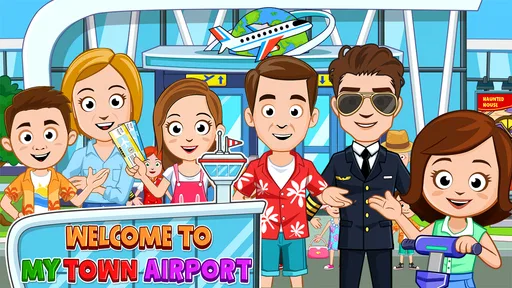
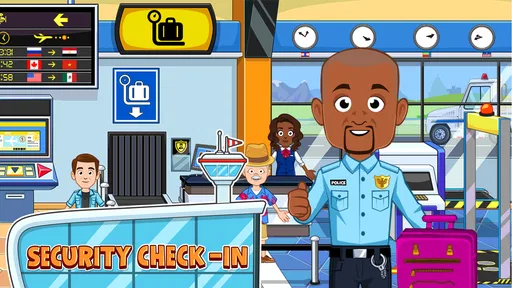

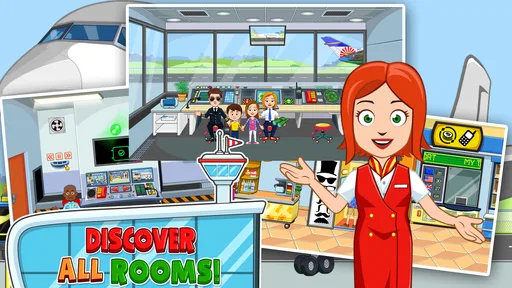



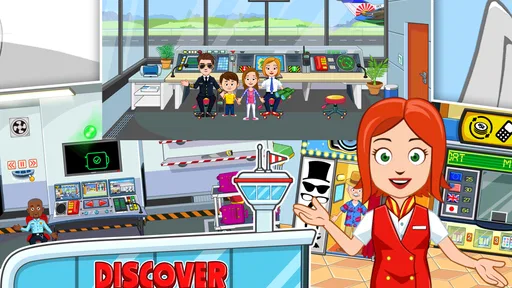
Our Review of My Town : Airport
 Analysis by Appyee
My Town : Airport is the kind of educational game I would open when I want a child to create a story rather than simply complete a level. Its central appeal is the airport setting: flying, traveling, preparing for a trip, and moving through airport spaces become a flexible pretend-play activity. I found that this focus gives the game a clearer identity than many general children’s games, because the setting naturally encourages planning, conversation, and role-play.
The game is made by My Town Games Ltd and is aimed at Everyone. It costs $4.49, so the decision is less about chasing a free download and more about whether an airport-themed creative toy suits the child using it. In my experience, that distinction matters. This is not a lesson app with quizzes, progress charts, or a fixed curriculum. It is an interactive play space where children can invent what happens before, during, and after a flight.
Why the airport setting works so well
The strongest capability here is open-ended travel role-play. Instead of asking the player to follow one correct route, the game gives the airport context and lets the child decide what the characters are doing. A child can imagine a family holiday, act out a first flight, prepare passengers for departure, or turn the same environment into a completely different story.
That freedom has an educational effect, even though the game does not feel like a classroom exercise. Children practice sequencing when they decide what should happen first. They use language when they explain where a character is going. They explore social roles when one character becomes a traveler and another takes responsibility for airport duties. The learning comes from arranging events and explaining choices, not from being told that an answer is right.
I especially like this approach for children who lose interest in conventional educational games. A spelling exercise or number drill can be useful, but it may not hold the attention of a child who learns best through imitation and storytelling. An airport gives that child familiar ideas to work with: packing, arriving, waiting, boarding, flying, and reaching a destination. Even when the child is not reading independently, an adult can turn the play session into a conversation about what travelers need and why.
The game’s category is educational, but I would describe it more precisely as a creative learning toy. That wording sets the right expectation. It can support communication, imagination, and simple planning, while a dedicated learning app will usually be stronger for direct practice in literacy, mathematics, or a school subject.
Turning a screen into a small travel story
When I use an airport-themed game with a child, I do not begin by explaining every possible interaction. I let the child choose a character and decide what the trip is about. One session might involve a rushed traveler, while another becomes a calm family journey. This simple choice makes the child responsible for the story instead of waiting for instructions.
A useful technique is to pause at natural moments and ask questions that do not have one fixed answer. What does this traveler need before leaving? Who is waiting for the flight? What could happen if someone arrives late? These prompts make the game more valuable without turning it into a test. The child is still playing, but the play now includes prediction, memory, and explanation.
Another practical idea is to use the airport as a sequence exercise. I ask the child to tell me the trip in order, then deliberately place an event in the wrong position and see whether the child notices. This works particularly well with younger players because the airport itself supplies a recognizable structure. The game becomes a visual aid for talking about before, during, and after.
For children playing alone, the same benefit can appear through self-directed storytelling. They may move characters around, repeat a favorite part, or create surprising situations that an adult would not plan. I would not interrupt every few seconds to teach. The best balance is to watch first, then join when the child wants help or seems ready for a new challenge.
What a normal play session feels like
In everyday use, I would treat this as a short creative activity rather than a game that demands a long uninterrupted session. A child can start with a simple travel idea, explore the setting, and stop when the story feels complete. That makes it suitable for a quiet period at home, a shared activity before a real trip, or a way to discuss flying with a child who has never been on an airplane.
A realistic scenario would be preparing for a family journey. The child chooses who is traveling, talks through what each person is doing, and acts out the transition from arrival at the airport to departure. An adult can gently add practical questions: How will everyone stay together? What should be remembered? Who might need assistance? The game does not need to provide a formal lesson for those questions to become useful.
I also see value in using it after a real flight. A child can recreate parts of the experience and change the details that felt confusing or exciting. Reenacting an unfamiliar event can help children process it in their own language. If the trip was stressful, pretend play may give them a safer way to revisit the situation and control the outcome.
For siblings, the airport theme creates natural roles, but shared play may require adult guidance. One child may want to control every character, while another wants to direct the story. I would suggest assigning temporary responsibilities, such as one child choosing the travelers and the other deciding what happens next. The game supports cooperation best when the adults establish that turn-taking rule before frustration starts.
Small techniques that make the experience richer
The first technique I recommend is changing the purpose of the trip. A holiday, a visit to relatives, and a work journey can all produce different conversations. The setting stays familiar, but the child has to adapt the story. This is a better use of the game than repeating the same movement without any narrative reason.
The second is to introduce a gentle problem without making the session feel like a punishment. A character might be late, unsure where to go, or responsible for helping another traveler. The child then has to suggest a solution. This encourages flexible thinking and empathy, especially when the adult asks how the character might feel rather than simply asking what action to take.
The third is to use the game as a vocabulary bridge. I would choose a few travel words during one session and use them naturally while playing. The child can describe locations, actions, and people without being forced to memorize a list. For a child learning English or another language, the visual context may make those words easier to understand, although I would still pair the game with real conversation and books rather than treating it as a complete language course.
A fourth useful habit is to let the child lead the explanation. Instead of saying what a character should do, I ask the child to show me. This reveals whether the child understands the story structure and gives them ownership. It also prevents the adult from turning a creative game into a series of instructions.
Where it differs from ordinary educational games
Compared with puzzle-based educational games, My Town : Airport offers less emphasis on measurable right-or-wrong progress. A math game can show whether a child solved an exercise correctly; this game is better at encouraging a child to build a situation and keep it coherent. Parents who want visible academic targets may find that difference important.
Compared with passive children’s videos, it gives the child more control. The child is not only watching a flight story unfold but deciding who is involved and what happens next. That active role can make the session more conversational. However, it also means the game may feel less immediately entertaining to a child who prefers fast animation and constant rewards.
It also differs from a real-world travel simulator. I would not choose it for accurate aviation procedures, detailed geography, or serious preparation for independent air travel. Its value is imaginative and social. It turns the idea of an airport into a stage for play rather than attempting to reproduce every practical detail of flying.
This is why I would compare it with other pretend-play games more than with academic training tools. Its success depends on whether the child enjoys creating scenes. If that is already a favorite way to play, the airport theme adds a useful structure. If the child needs direct instruction, repetition, or a clear reward system, another category of app will probably be a better fit.
The tradeoffs parents should understand
The biggest limitation is also the source of its freedom: the game does not appear designed to tell the child exactly what to do next. Some children will immediately invent stories, while others may open the game, look around, and ask what the objective is. I would introduce it with a simple prompt instead of assuming the child will understand the appeal without support.
The $4.49 price may be reasonable for a focused creative game, but it changes the comparison with free alternatives. A child who only wants a quick airport-themed distraction may not use it enough to justify paying. On the other hand, families who return to pretend-play settings regularly may get more lasting value than they would from a short, one-time puzzle experience.
Another tradeoff is adult involvement. The game can support independent play, but its educational value becomes clearer when someone occasionally asks questions or encourages a more complete story. Parents looking for an app that keeps a child occupied while requiring no interaction should keep that expectation in check.
The airport theme is another consideration. It is a strength for children fascinated by airplanes and travel, but it may feel narrow to children who prefer animals, construction, fantasy, or open-ended household scenes. I would not buy it solely because it is labeled educational. The child’s interests matter more than the category label.
There is also a difference between creative repetition and repetitive use. Replaying the same travel story can be comforting and useful, especially for younger children, but older children may need adult prompts or a new scenario to keep the experience fresh. The game works best when the story changes, not when the same actions are performed automatically.
Device fit and practical expectations
The game supports devices running Android 8.0 or later. Before paying, I would check the operating system on the intended device, particularly if it is an older tablet used by a child. That small check avoids the disappointment of choosing a game that cannot be installed on the family’s usual screen.
Its current version is 7.03.06, and the game has been available since Feb 21, 2018. Those details suggest a product with an established place in the My Town catalog rather than a brand-new experiment. I still recommend treating the experience according to what it is now: an airport-centered creative game, not a substitute for a full educational program.
The audience response is generally positive, with a 4.2 average from around 1.1 thousand ratings and more than a thousand installs? Wait, the game has over 50 thousand installs, so the phrase should be accurate: it has passed 50 thousand installs. That level of use gives me some confidence that the concept has found an audience, but it does not guarantee that every child will enjoy open-ended play. A rating can tell me that the overall reception is favorable; it cannot replace matching the game to a child’s personality.
One detail I appreciate is the Everyone age rating. It makes the game easier to consider for younger children, although age suitability is not the same as developmental fit. A very young child may need an adult to read prompts or explain the idea of a trip, while an older child may want more challenge than the game naturally provides.
Who will get the most from it
I think the best audience is children who enjoy pretend play, arranging characters, and telling stories aloud. It is also a good choice for families looking for a calm shared activity connected to a real-life event, such as an upcoming flight. The airport setting gives adults an easy starting point for conversations about routines, feelings, and responsibility.
It can be especially helpful for a child who is nervous about flying. I would not present it as a medical solution or promise that it will remove anxiety, but acting out the journey may make unfamiliar steps easier to discuss. The child can decide what happens, repeat a difficult part, and ask questions in a low-pressure setting. That sense of control is the practical strength of the game’s central capability.
Teachers, caregivers, and speech-support professionals might also find the setting useful for guided conversation, provided they are looking for a flexible play prompt rather than a structured teaching package. The airport offers plenty of opportunities to practice turn-taking, describing actions, ordering events, and considering another character’s point of view.
I would be less enthusiastic for a child who wants competitive challenges, timed tasks, academic progression, or a clear series of levels. I would also steer older children toward a deeper simulation or a subject-specific learning app if their goal is to understand aviation, geography, or travel planning in detail. Paying for this game makes sense when the child values imagination more than achievement systems.
My recommendation after using it
My Town : Airport works best as a guided creative playground, not as a conventional lesson. Its airport setting gives children a concrete way to practice storytelling, sequencing, conversation, and problem-solving. I like that the same situation can support independent imagination, sibling play, or an adult-led discussion about a real journey.
The tradeoff is that the game asks the player to supply much of the energy. Children who enjoy inventing scenes may return to it naturally, while children who need constant direction may find it quiet or aimless. The paid price also deserves consideration when compared with free entertainment, and the focused airport theme will not suit every interest.
With those expectations in place, I would recommend it to families seeking an age-appropriate travel-themed game with educational value woven into pretend play. I would download it for a child who likes airplanes, role-play, or storytelling, especially before or after a family trip. I would skip it in favor of a more structured alternative when the main goal is academic practice or measurable progress.
The game’s strongest idea is simple: let a child take control of a journey and decide what that journey means. Used that way, it becomes more than an airport backdrop. It gives children a manageable world in which they can organize events, explain choices, and explore how people behave when they travel.
Verdict
Strengths of My Town : Airport
- Bright, child-friendly graphics make the airport easy and enjoyable to explore.
- Open-ended scenes encourage imaginative role-play without strict goals or time limits.
- Many characters and outfits support varied stories and pretend-play scenarios.
- Simple touch controls are accessible for younger children.
- Offline play makes it convenient for travel or areas without internet access.
Limitations of My Town : Airport
- Some locations and items may require additional purchases to unlock.
- The game can feel repetitive after exploring the main airport areas.
- Limited challenge may not appeal to children looking for structured gameplay.
- Frequent tapping and dragging can be difficult on smaller phone screens.
- Performance may vary on older devices, especially in busy scenes.
Other Releases by My Town Games Ltd
View All
My Town Home: Family Playhouse
Educational4.3

My Town : Beach Picnic
Educational4.0

My Little Princess : Wizard
Educational3.7

My Town : Daycare
Educational4.1
Similar Picks in This Category
View All
Little Panda Policeman
BabyBus4.0

Monster Trucks Game for Kids 2
Raz Games4.1

Little Panda's Chinese Recipes
BabyBus4.4

Little Panda's Restaurant
BabyBus4.4

Little Panda's Ice Cream Games
BabyBus4.3

Baby Panda Care
BabyBus3.8
Frequently Asked Questions
What is My Town: Airport about?
My Town: Airport is a digital role-playing and pretend-play game for children, where players can explore different airport locations and create their own stories. You can check in for a flight, go through security, visit shops and waiting areas, board an aircraft, and interact with characters and objects. There is no fixed storyline, so children are free to play creatively at their own pace.
Is My Town: Airport suitable for children?
The game is designed primarily for young children who enjoy imaginative, open-ended play. Its colorful visuals, simple controls, and tap-based interactions make it easy to understand without advanced gaming skills. Parents should still review the age rating and available device settings, especially because suitability can vary depending on a child’s age, reading ability, and sensitivity to in-app purchases or advertising.
Does My Town: Airport require an internet connection?
My Town: Airport may require an internet connection for downloading the application, receiving updates, restoring purchases, or accessing certain platform services. However, much of the core pretend-play experience can generally be enjoyed offline once the game is installed. Availability of offline features can depend on the device, operating system, and the version downloaded from Google Play or the App Store.
Are there in-app purchases or advertisements in My Town: Airport?
Before downloading, parents should check the current store listing because monetization details can change between versions and platforms. My Town games may include optional purchases, additional content, or store-related payment features. It is a good idea to enable parental controls, require authentication for purchases, and review the app’s privacy information so children cannot accidentally buy content or interact with services without supervision.
What devices are compatible with My Town: Airport?
Compatibility depends on the specific Android or iOS version, available storage, and the hardware capabilities of the device. The game may run best on relatively recent phones and tablets because it contains animated scenes, multiple characters, and interactive locations. Check the official Google Play or App Store page before installing to confirm the required operating-system version and whether your device is supported.
Play our best games!


